Reminders you share with your partner.
The simplicity of Apple Reminders, with your partner on the other end, any phone.
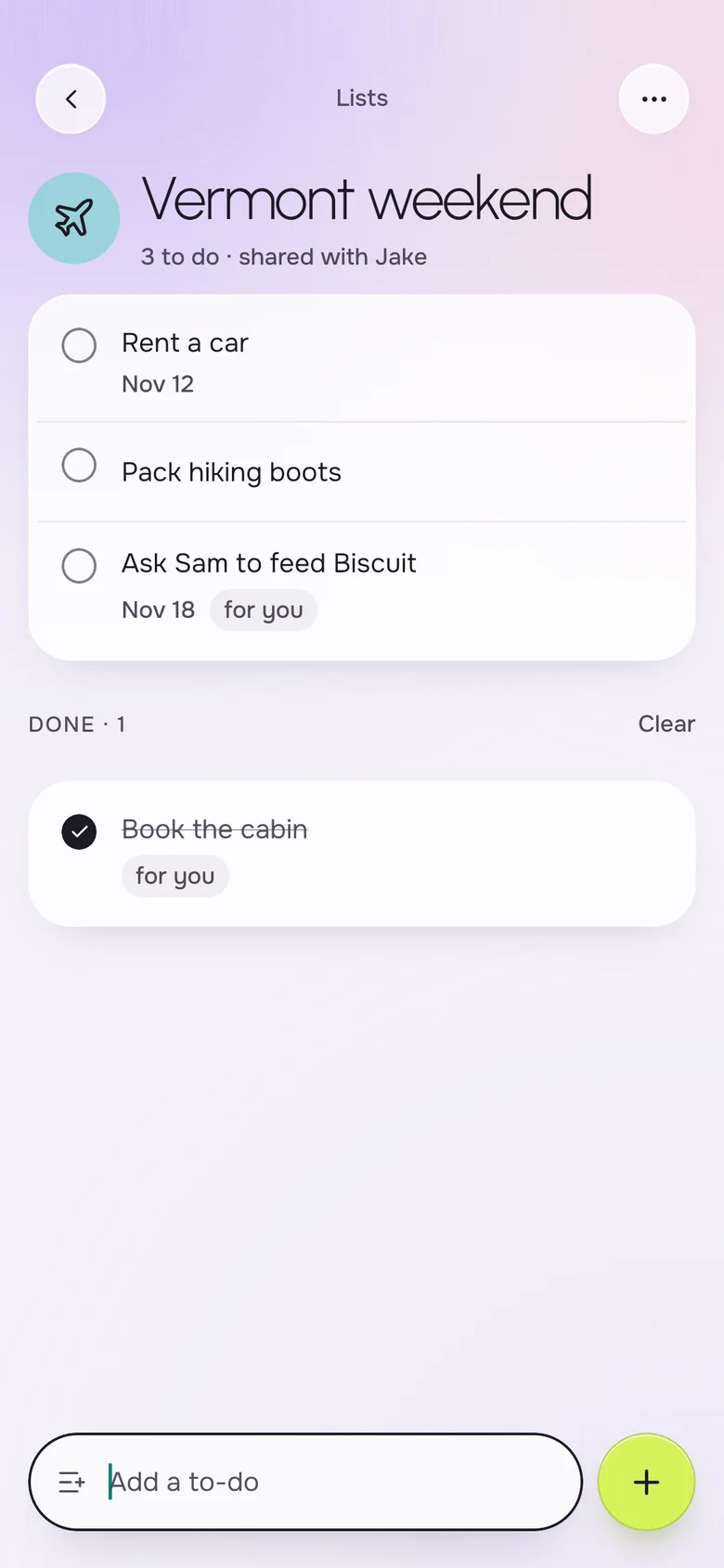
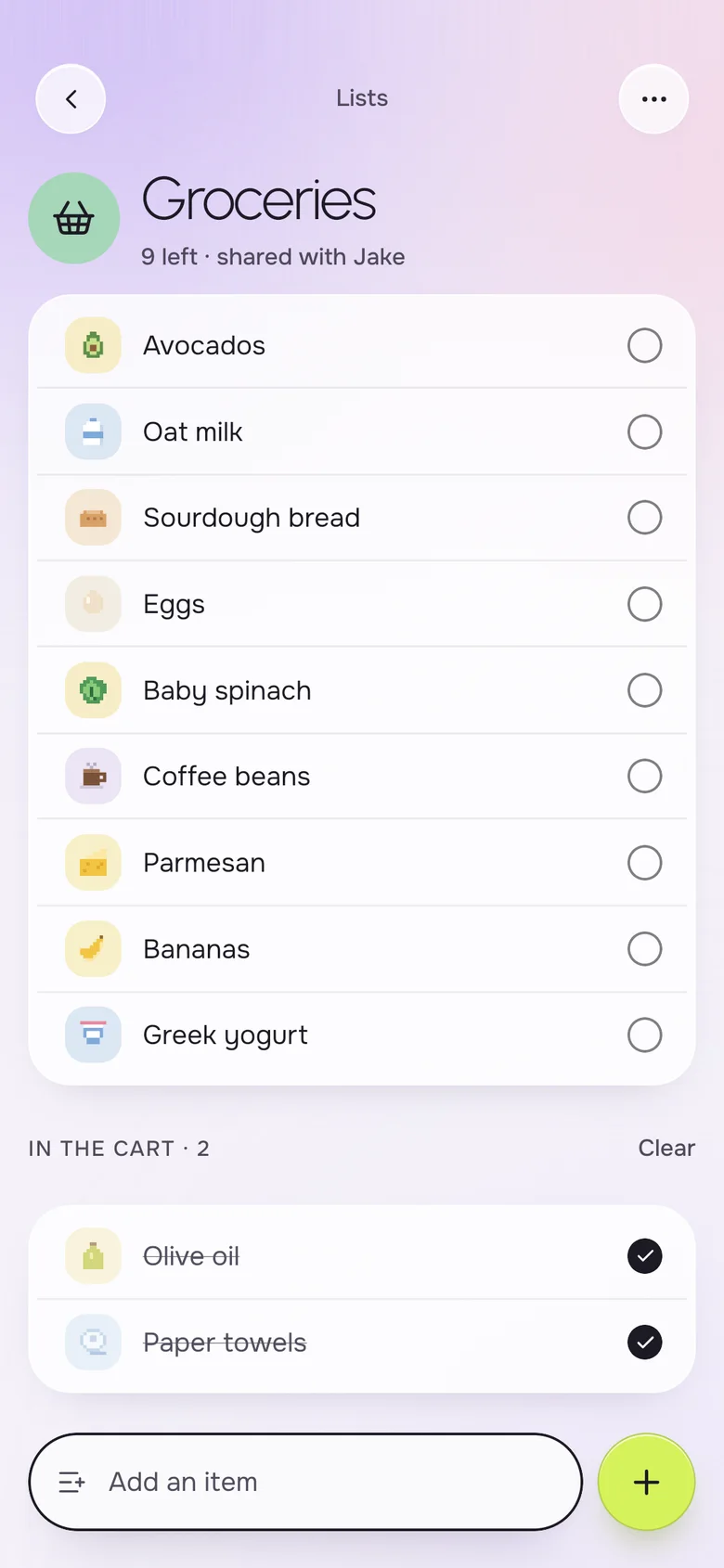
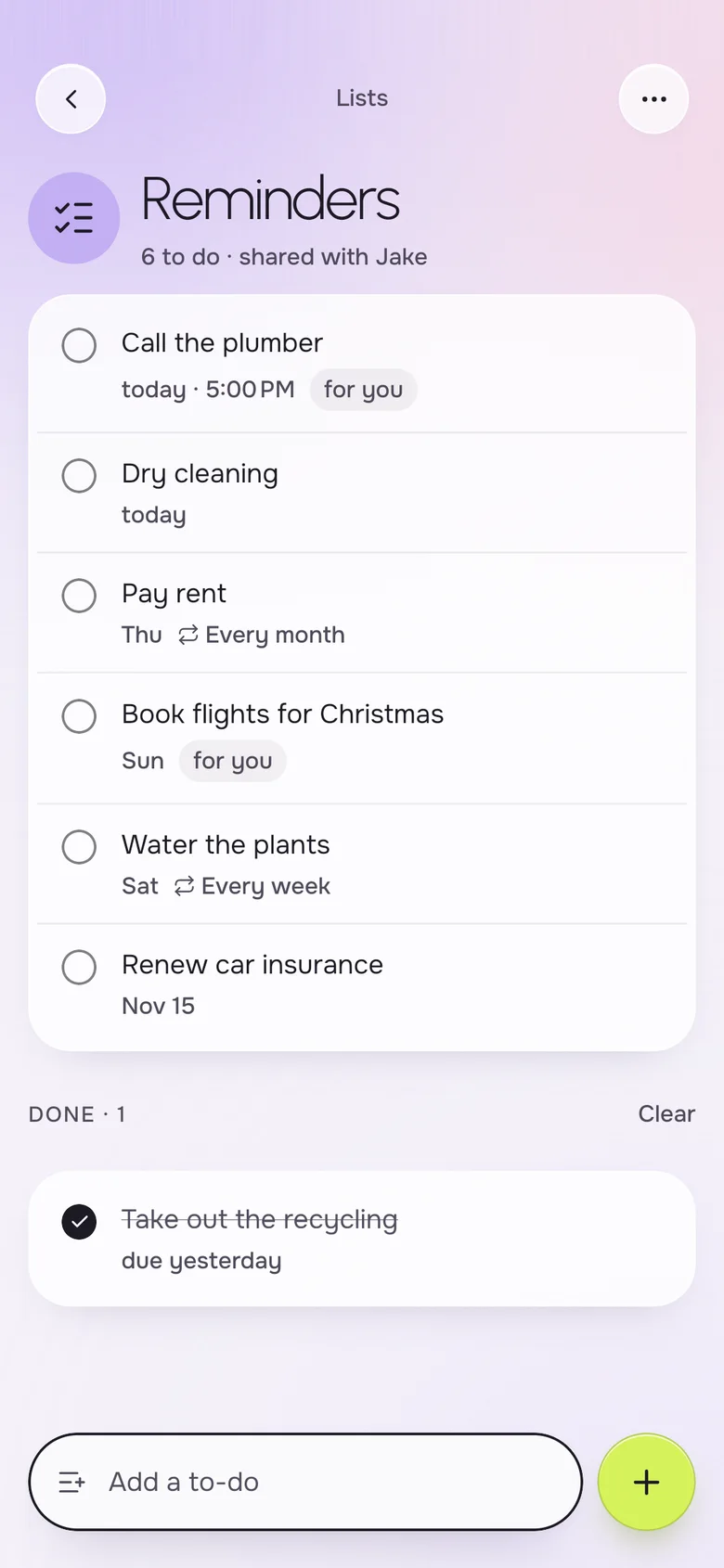
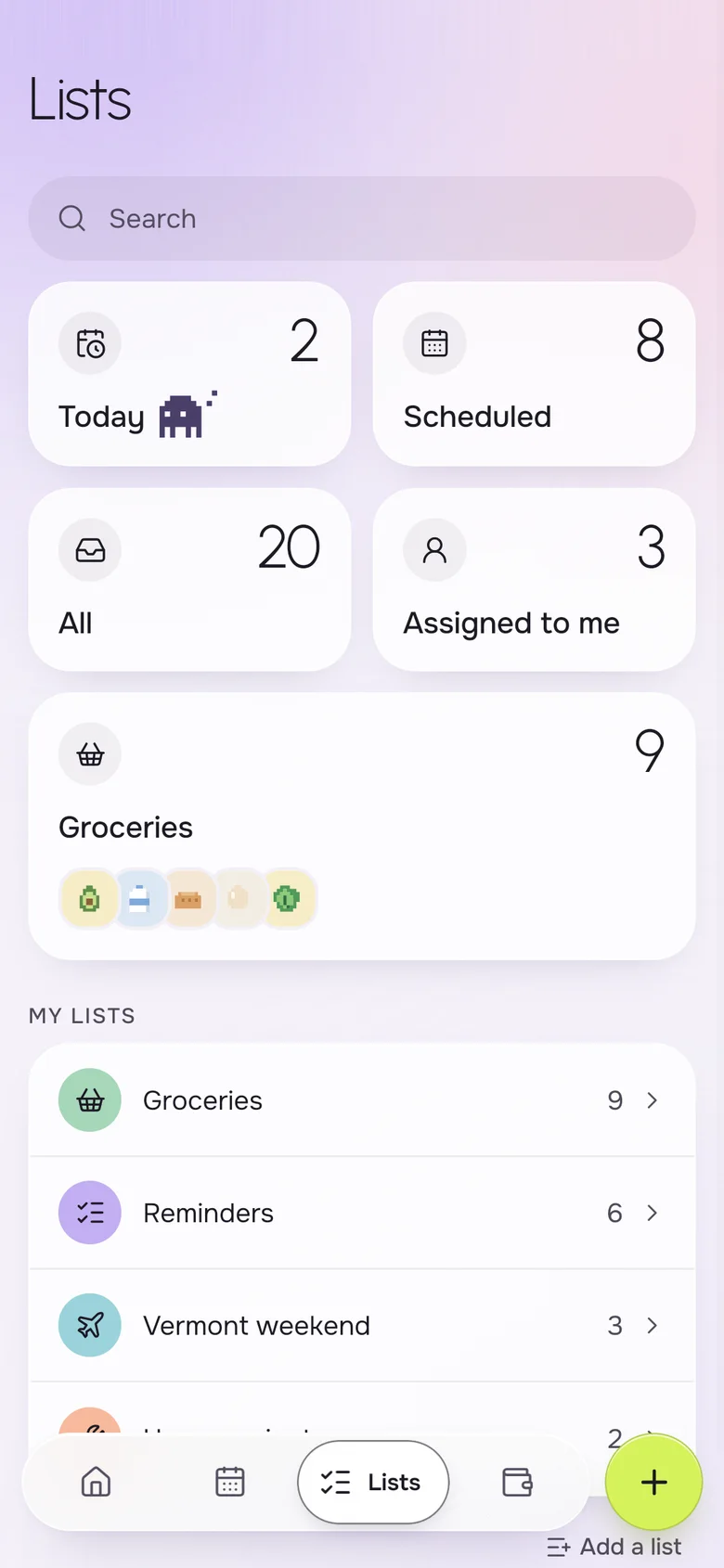
A shared reminders app lets two people see, add and complete the same to-dos. Okto is a free app for iPhone and Android where a couple shares reminders and lists with due dates, times and an assignee, plus smart views like Today, Scheduled and Assigned to me. It works like Apple Reminders, but your partner does not need an iPhone.
Instead of
- "Remind me to call the plumber"
- sticky notes on the fridge
- a to-do list only you can see
- tasks lost in a group chat
One list of what needs doing, on both phones.
Reminders with a date and an owner
Add "call the plumber today at 5 PM" and give it to whoever should do it. Both of you see it, and whoever finishes it ticks it off for everyone. If you have used Apple Reminders, the layout will feel familiar.
- Due date and time on every reminder
- Assign to yourself or to your partner
- Today, Scheduled, All and Assigned to me
- Lists of your own, with an icon and a color
- Repeating to-dos with Okto Plus
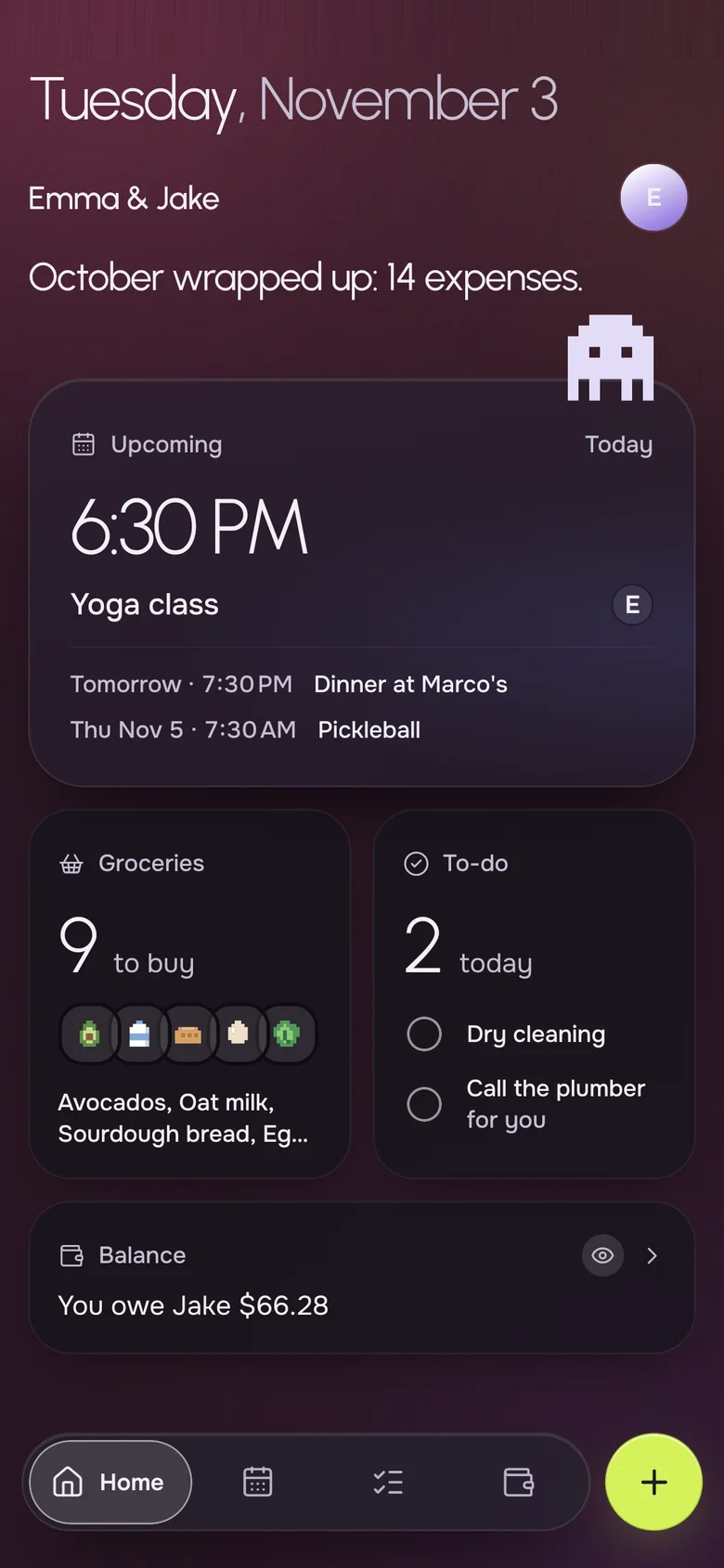
Today's to-dos on the Home screen
You should not have to open a list to learn what is due. Home shows today's to-dos next to the next event and the shopping, with whose they are.
- Reminders due today, at the top of Home
- The next calendar event
- Groceries still to buy
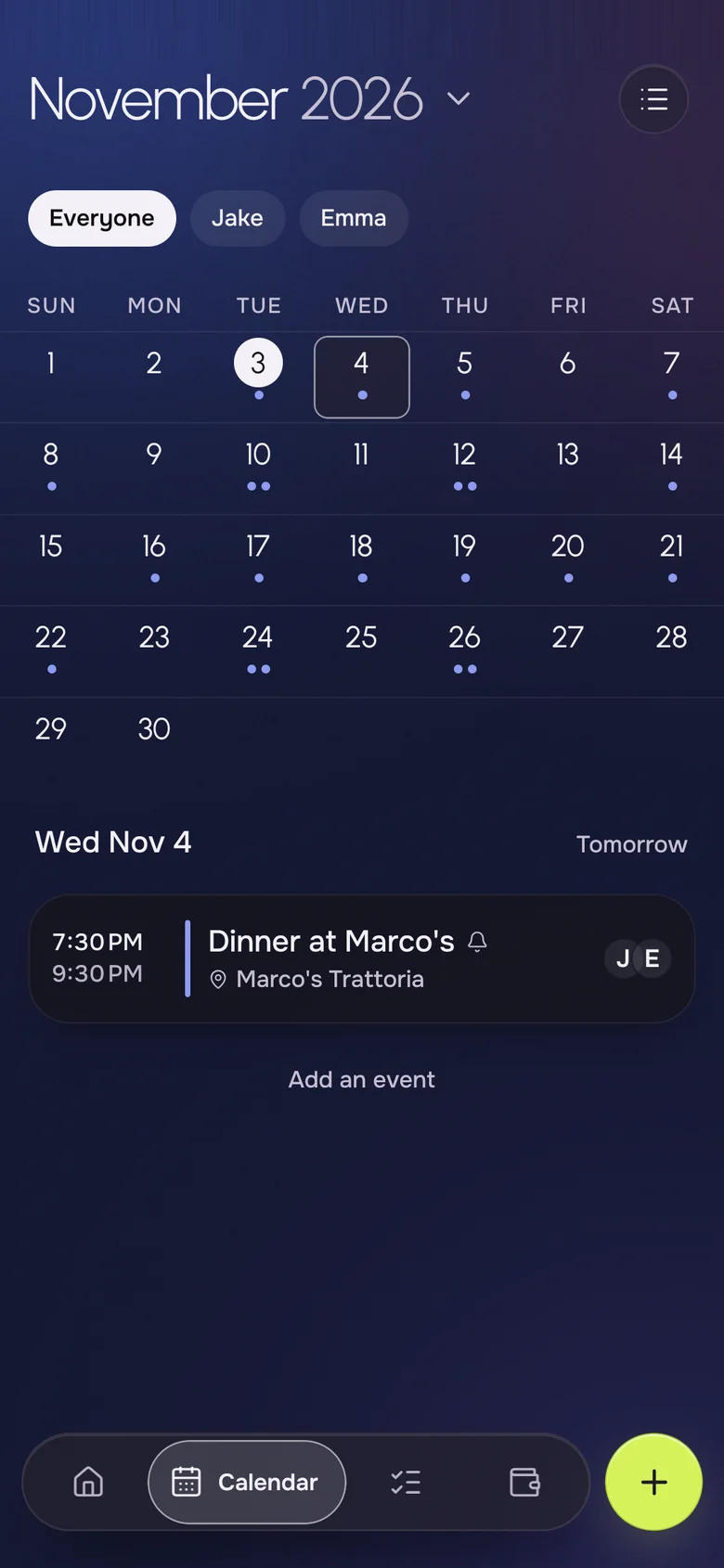
Reminders next to the calendar
Some things are tasks and some are plans. Okto keeps both: the to-do goes on a list, the dinner goes on the shared calendar, and each of you can filter the calendar to your own plans.
- A shared month calendar with a per-person filter
- Events with place, participants and reminders
- Two-way sync with your phone's calendars with Okto Plus
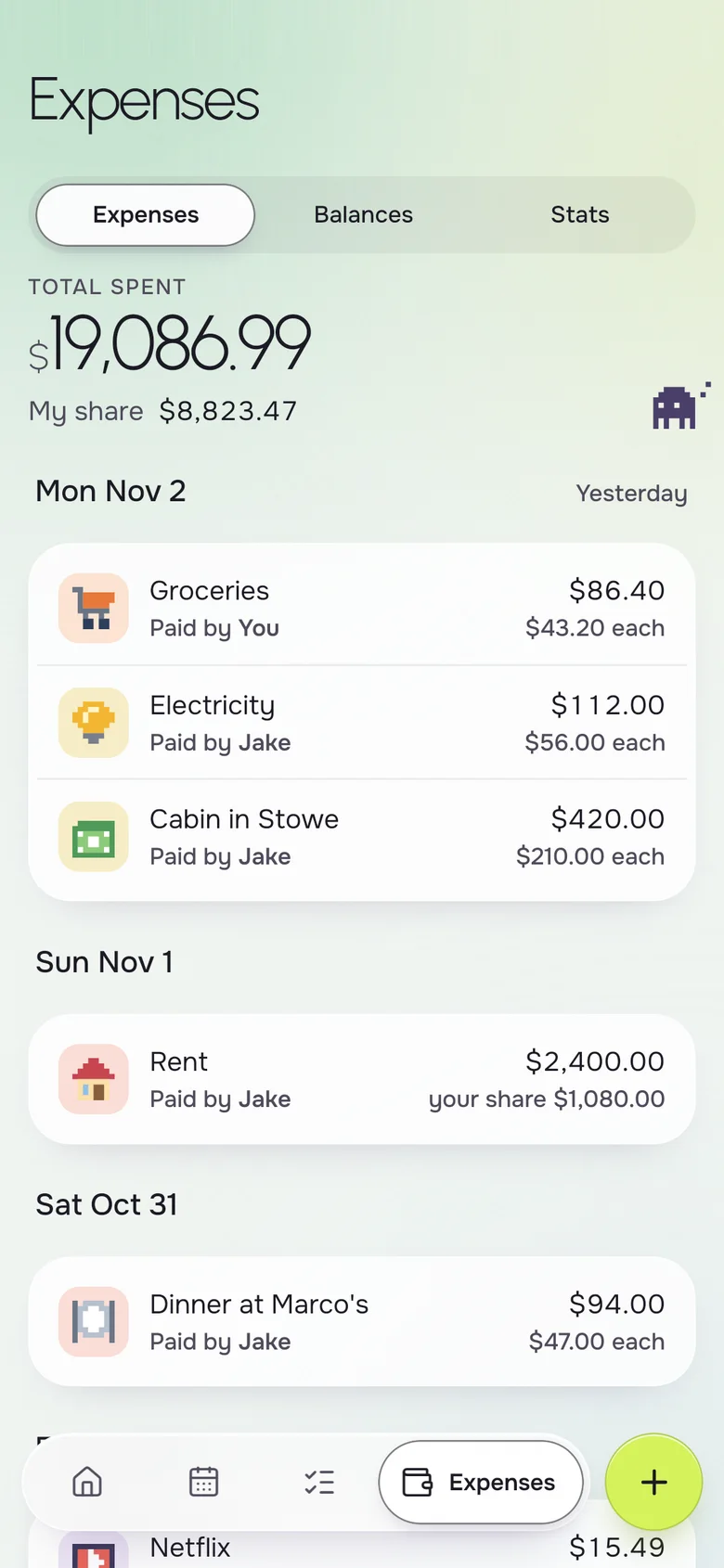
And the bills that come with them
Pay rent, renew the car insurance, book the flights: some reminders are about money. Log the expense and Okto keeps the balance between you.
- Shared expenses split equally, by amounts or by percentages
- A one-line balance on Home
- Repeating expenses like rent with Okto Plus
Your iPhone, their Android. Same household.
- Live on both phones
- Add milk on one phone, it shows on the other a second later.
- Works offline
- The list is on your phone, even in a store with no signal.
- No ads, ever
- Okto is paid for by Okto Plus, not by your data.
- Private by design
- Only the two of you see your household. Data hosted in the EU.
Free for the two of you. Plus when you want more.
One subscription covers the whole household: if one of you subscribes, you both get Okto Plus. Okto is free during the beta.
Okto
$0
Everything you need to run the house together.
- Shared calendar with month view
- Shared groceries, reminders and lists
- Shared expenses and balances
- iPhone and Android, offline, no ads
Okto Plus 14-day free trial
$4.99 a month, or $34.99 a year
For both of you, on one subscription.
- Two-way sync with your phone's calendars (Google, iCloud)
- Rent, bills and to-dos that repeat by themselves
- Monthly stats of what you spend together
- Export your expenses
Questions, answered
Is there a shared reminders app that works on iPhone and Android?
Yes. Okto runs on both and gives a couple shared reminders and lists that look the same on either phone. Apple Reminders sharing, by comparison, is built around Apple devices.
Can I assign a reminder to my partner?
Yes. Every reminder can have a due date, a time and an assignee, and the Assigned to me view shows what is yours.
Can reminders repeat?
Repeating to-dos, daily, weekly, monthly or yearly, are part of Okto Plus. One-off reminders and calendar event repeats work without it.
What is the difference between a reminder and a list?
A reminder is a single task with an optional date and owner. A list groups related items, like groceries or a weekend away. Okto has both, and its smart views collect reminders across lists.
Is the shared to-do list free?
Yes. Shared reminders and lists are free with no ads. Okto Plus is $4.99 a month or $34.99 a year for the household, with a 14-day free trial, and covers both partners.
Does it work offline?
Yes. Your lists are stored on each phone, so you can read and tick items with no signal. They sync when you are back online.
Say it once, on the list.
Download Okto, add a reminder for your partner, and watch it show up on their phone.