One grocery list, shared by both of you.
Add oat milk from the couch and your partner sees it in the aisle, live.
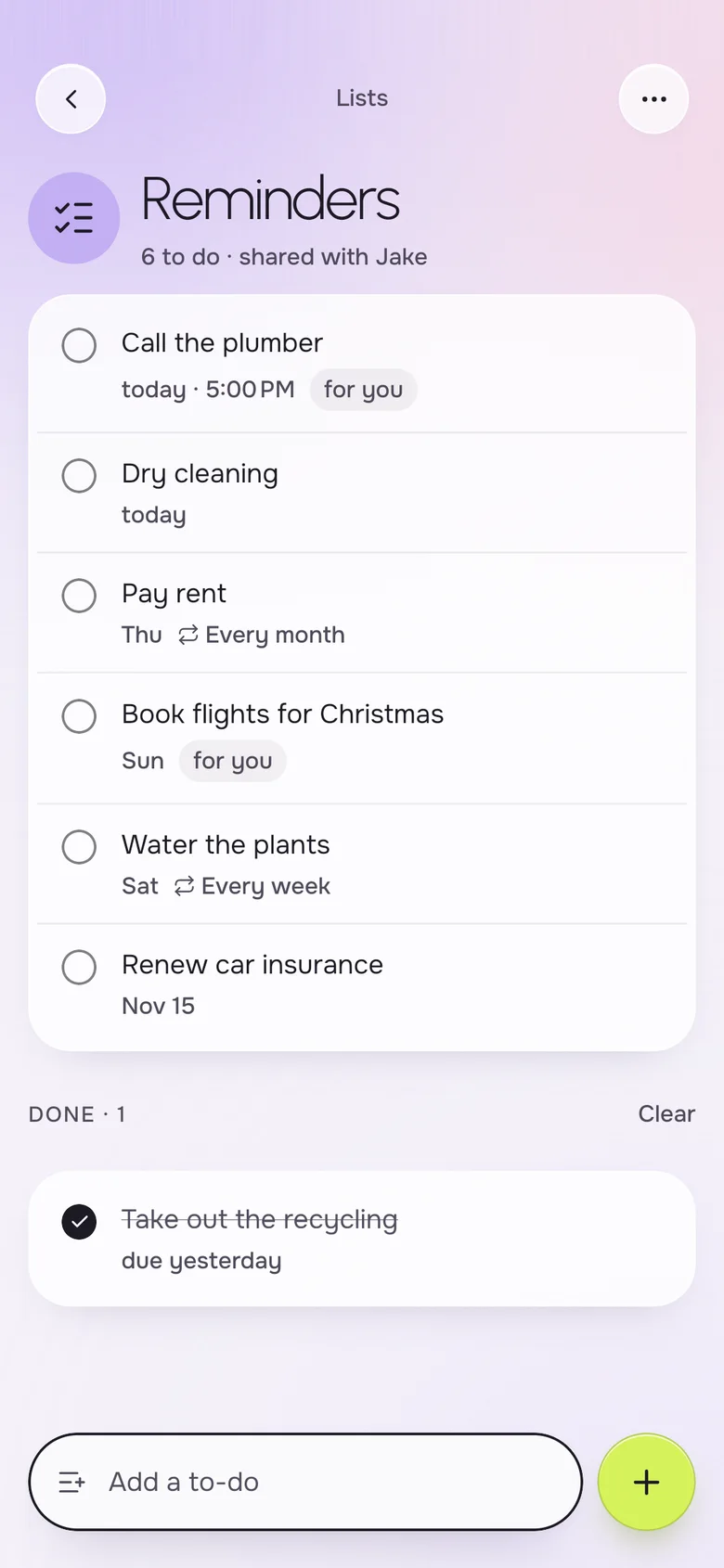
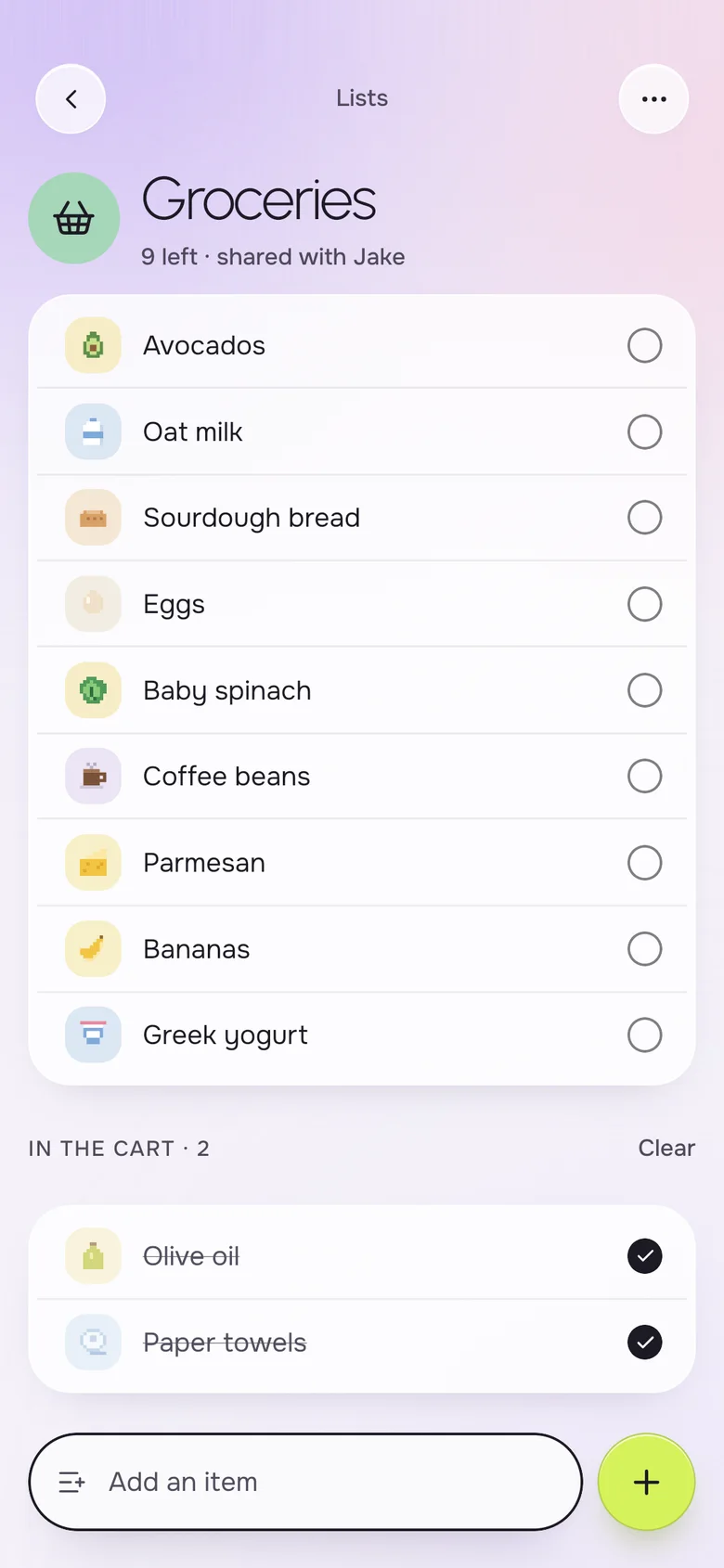
A shared grocery list app lets two people add and check off items on the same list from their own phones. Okto is a free iPhone and Android app where a couple shares one grocery list that updates live and works offline in the store. Each item gets its own little icon, and what you put in the cart moves to its own section.
Instead of
- "Did you get the milk?"
- a notes app only one of you opens
- buying eggs twice
- photos of the fridge
One list, the same on both phones.
A grocery list you both fill
Whoever notices the coffee is running low adds it. The other sees it in a moment, and whoever ends up at the store checks things off as they go. Items you have already picked up wait in a separate "in the cart" section.
- Both partners add and tick items on the same list
- A pixel icon for every item, so you spot things fast
- An "in the cart" section for what you already picked up
- Works with no signal inside the store
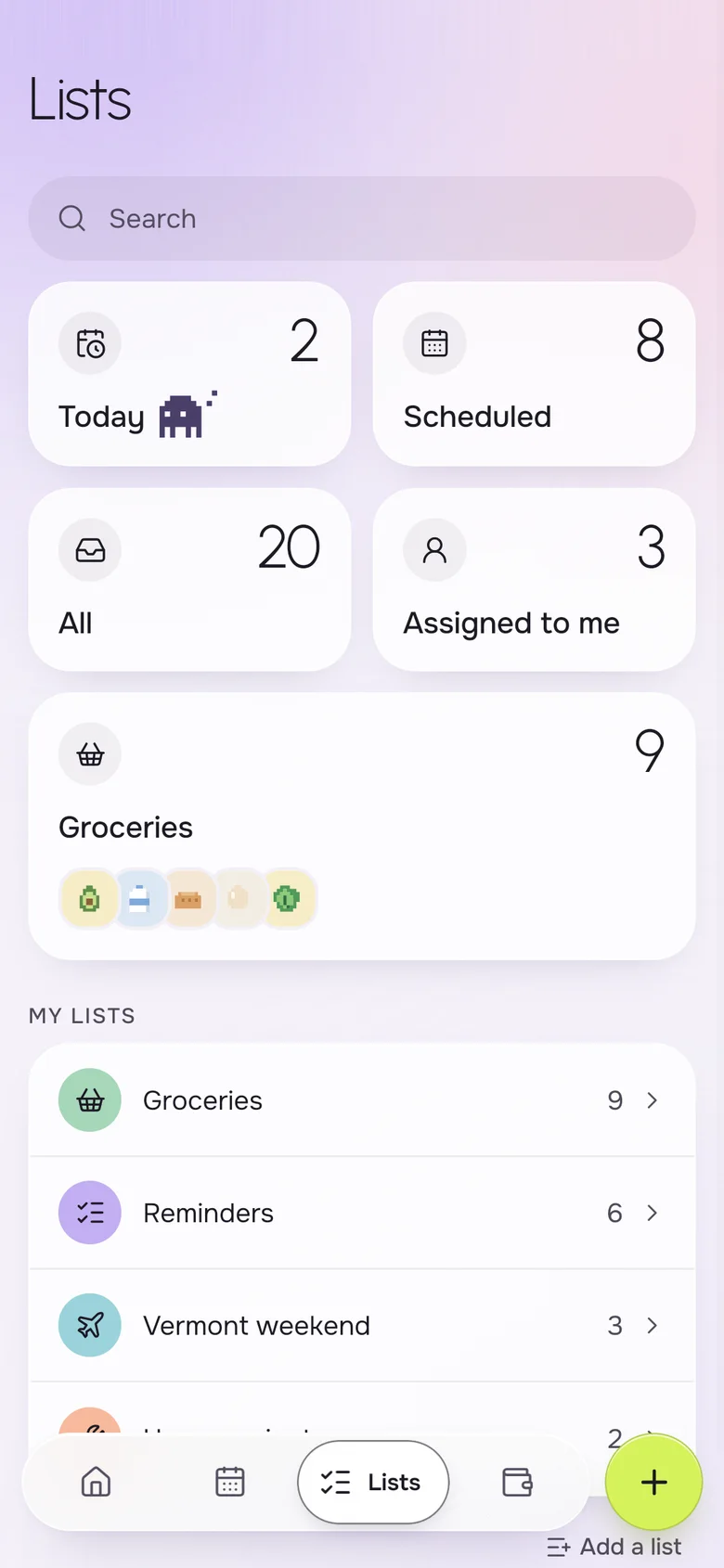
- Lists beyond groceries: gifts, a weekend away, home projects
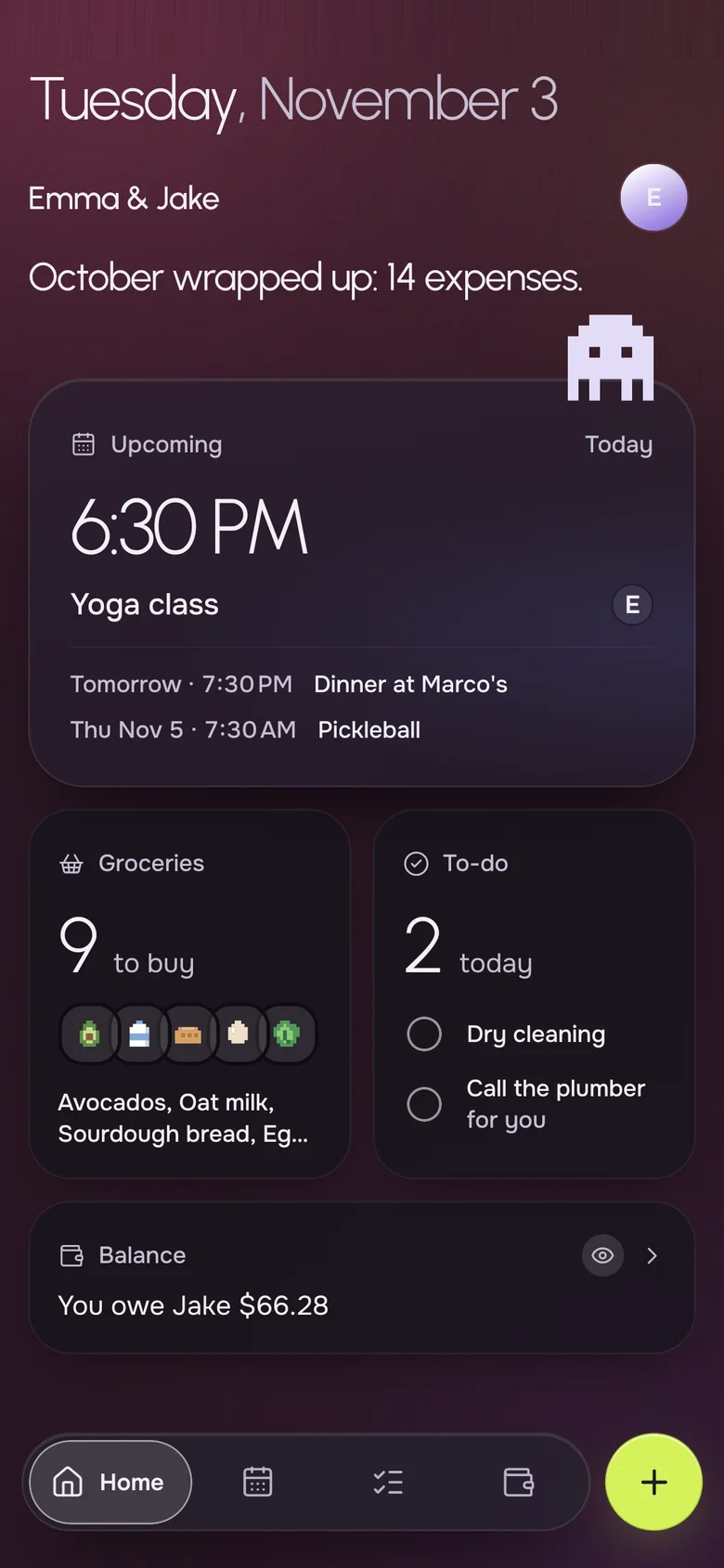
What to buy, on Home
The Home screen counts the groceries still to buy, so you know before leaving work whether a stop is needed. You can also see what is due today, and whose job it is.
- "9 groceries to buy" on the first screen you see
- To-dos due today next to the shopping
- The next event, in case dinner has guests
Plan the week the list is for
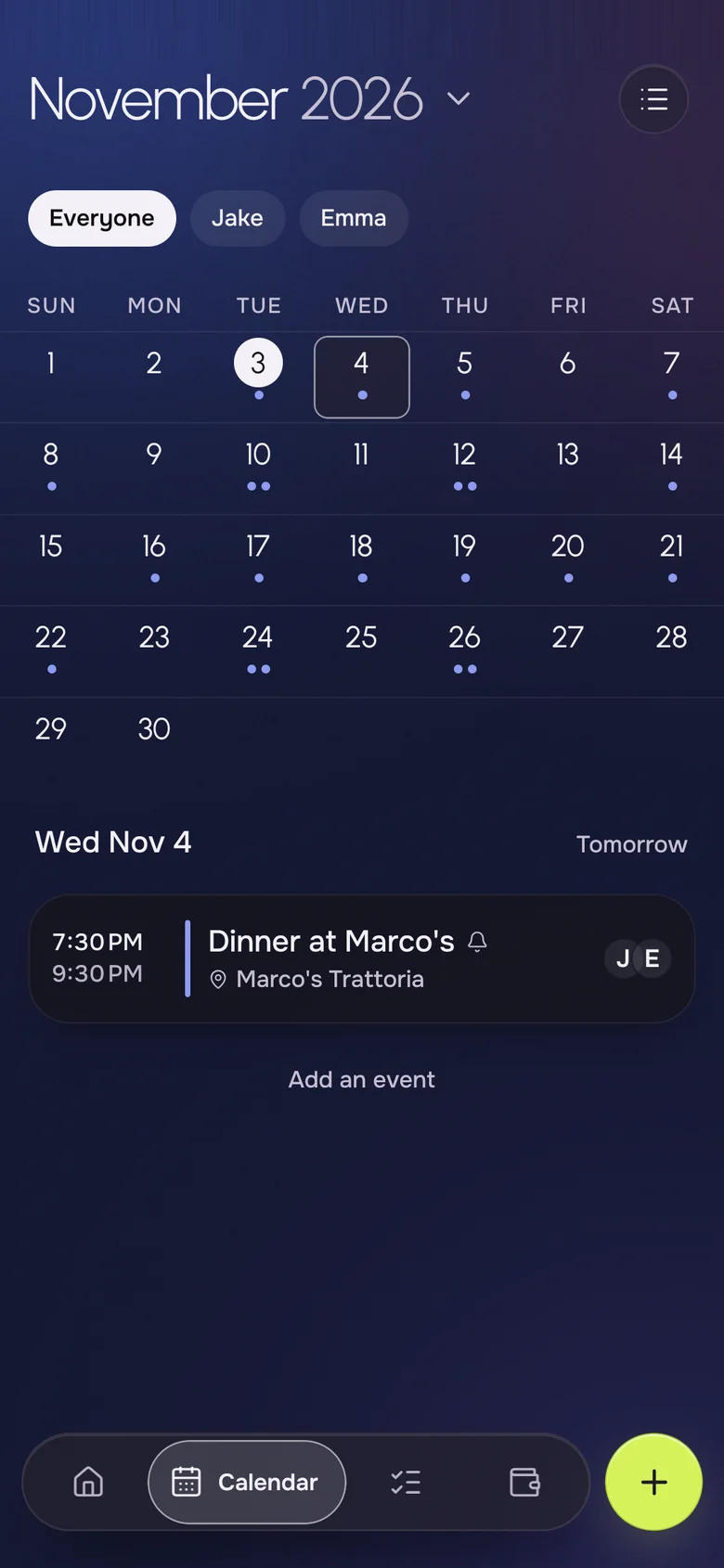
Groceries follow the calendar: a dinner at friends means one less shop, a Thanksgiving means a big one. With both on one app, the plan and the shopping stay consistent.
- A shared month calendar next to the lists
- Filter to your plans, your partner's or both
- Reminders and repeats on events
Log the receipt, keep the balance
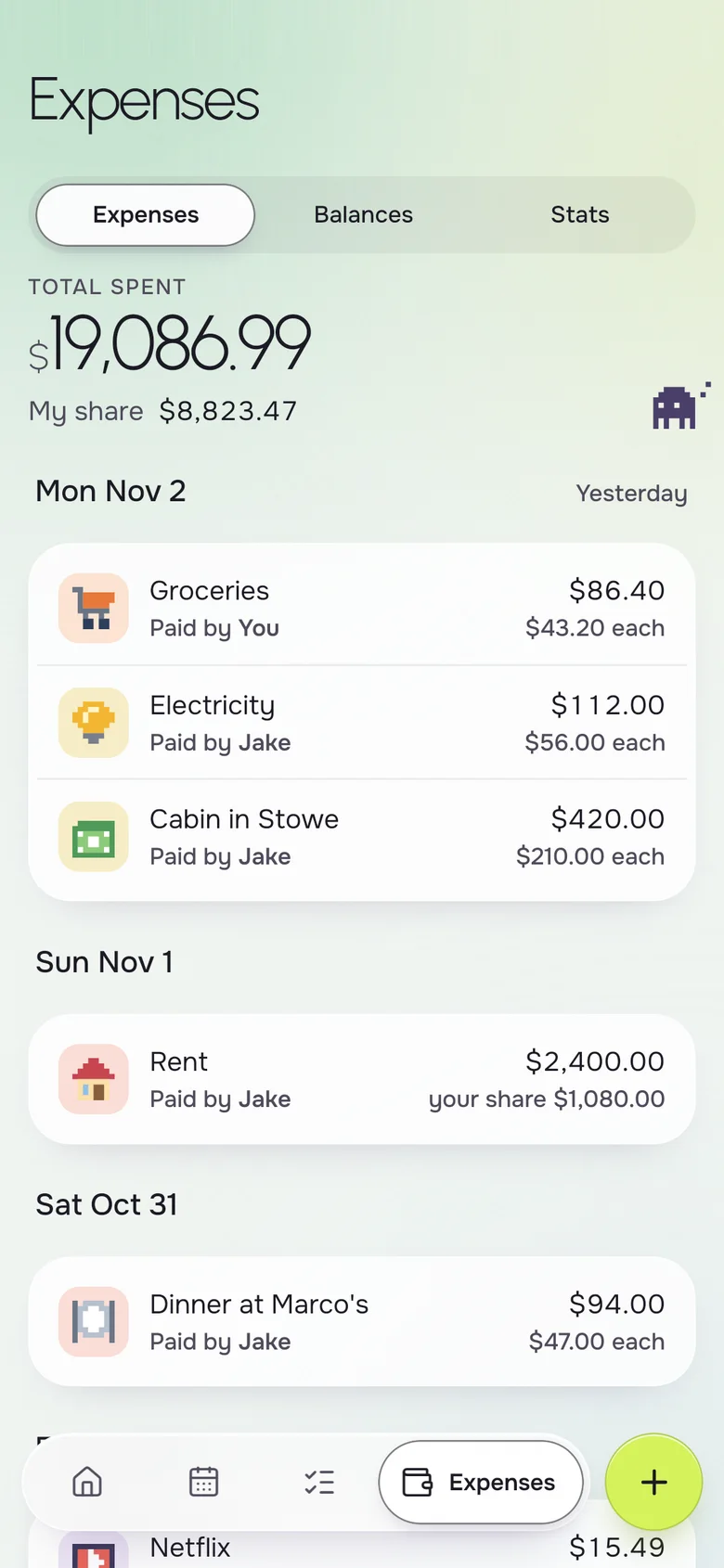
After the big shop, add what you paid in a few seconds. Okto splits it and keeps the balance, so grocery runs stop being the thing one person quietly covers.
- Paid-by and each person's share on every expense
- Equal, by amounts or by percentages
- One line that tells you where you stand
Your iPhone, their Android. Same household.
- Live on both phones
- Add milk on one phone, it shows on the other a second later.
- Works offline
- The list is on your phone, even in a store with no signal.
- No ads, ever
- Okto is paid for by Okto Plus, not by your data.
- Private by design
- Only the two of you see your household. Data hosted in the EU.
Free for the two of you. Plus when you want more.
One subscription covers the whole household: if one of you subscribes, you both get Okto Plus. Okto is free during the beta.
Okto
$0
Everything you need to run the house together.
- Shared calendar with month view
- Shared groceries, reminders and lists
- Shared expenses and balances
- iPhone and Android, offline, no ads
Okto Plus 14-day free trial
$4.99 a month, or $34.99 a year
For both of you, on one subscription.
- Two-way sync with your phone's calendars (Google, iCloud)
- Rent, bills and to-dos that repeat by themselves
- Monthly stats of what you spend together
- Export your expenses
Questions, answered
What is the best shared grocery list app for couples?
The best one is the one that is fast enough to use mid-thought. Okto keeps a single grocery list that both partners edit, with icons for each item, an "in the cart" section and live sync on iPhone and Android.
Does the list update for my partner while they are in the store?
Yes. Changes show up on the other phone live while it is online. If the store has no signal, the list is still on the phone and catches up when the connection returns.
Can we keep more than one list?
Yes. Besides Groceries you can create lists of your own, such as a weekend away or home projects, each with its own icon and color.
Is the shared grocery list free?
Yes. Shared lists and reminders are free, and there are no ads. Okto Plus, at $4.99 a month or $34.99 a year for the household, adds extras like repeating to-dos and monthly stats, after a 14-day free trial.
Can I use it if my partner has an iPhone and I have an Android?
Yes. Okto runs on both platforms and both phones see the same list.
Can I assign an item or a task to one person?
On reminders and to-dos, yes: you can set a due date, a time and who it is for, and a smart view shows what is assigned to you.
Never buy the eggs twice.
Download Okto, invite your partner, and start the list from whichever phone is closest.